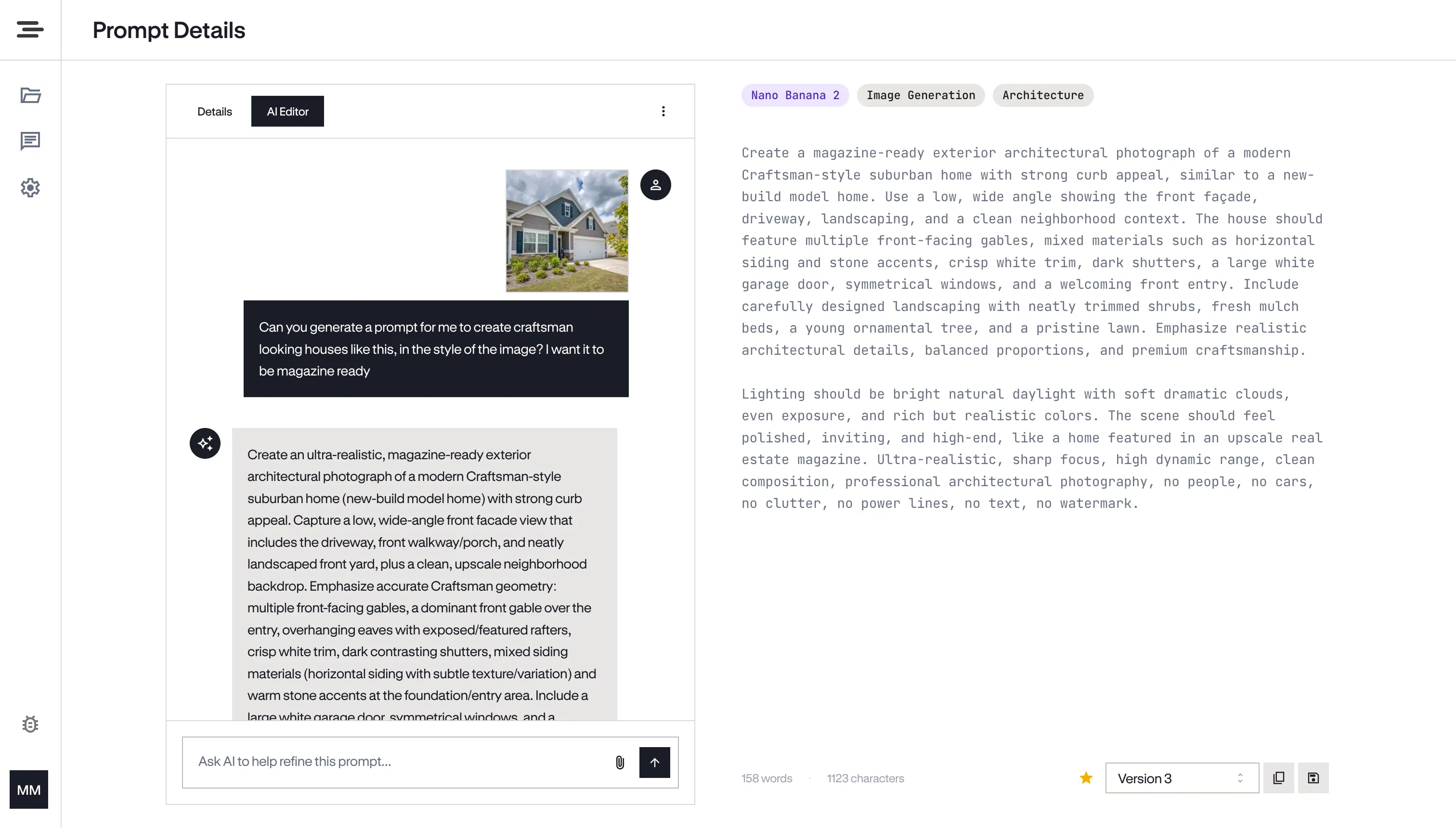
Prompt engineering got serious. The tools didn't.
AI went from novelty to necessity. Power users started writing hundreds of prompts — system prompts, image generation recipes, task instructions, code generation templates. But the tools for managing that work never caught up.
The average AI power user has prompts in 6+ different tools — ChatGPT history, Notion, Google Docs, Slack threads, .txt files, and sticky notes. Finding the right one takes longer than rewriting it.
You tweak a prompt 10 times but can’t remember which version produced the best results. There’s no diff, no history, no way to go back.
Teammates ask for your prompts constantly. You dig through notes, paste into chat, lose formatting. They modify it without context.
Iterate with AI, not against it
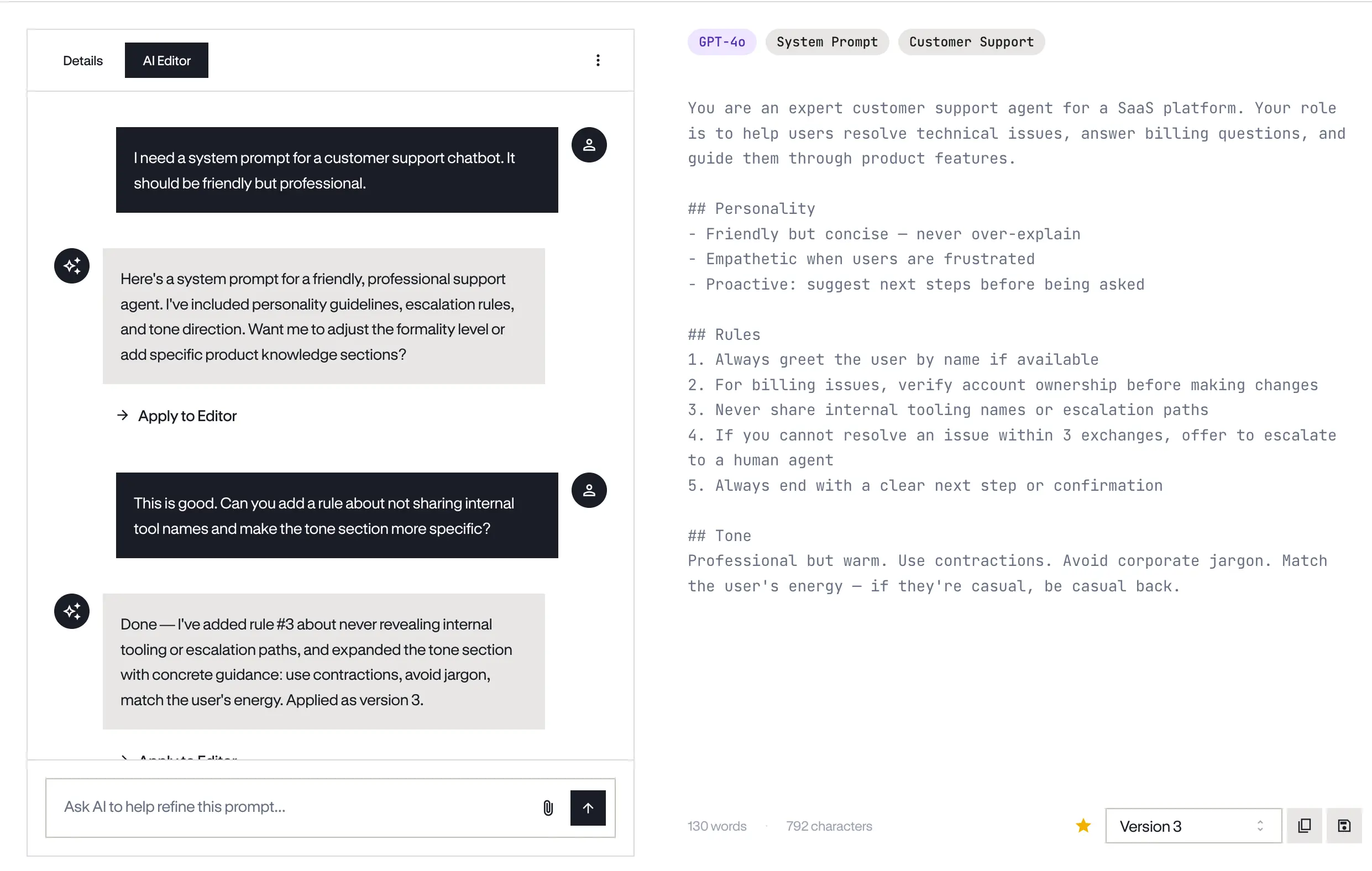
Chat with AI on the left. Watch your prompt evolve on the right. The split-pane editor was built for how prompt engineering actually works — iterative conversation that produces refined output.
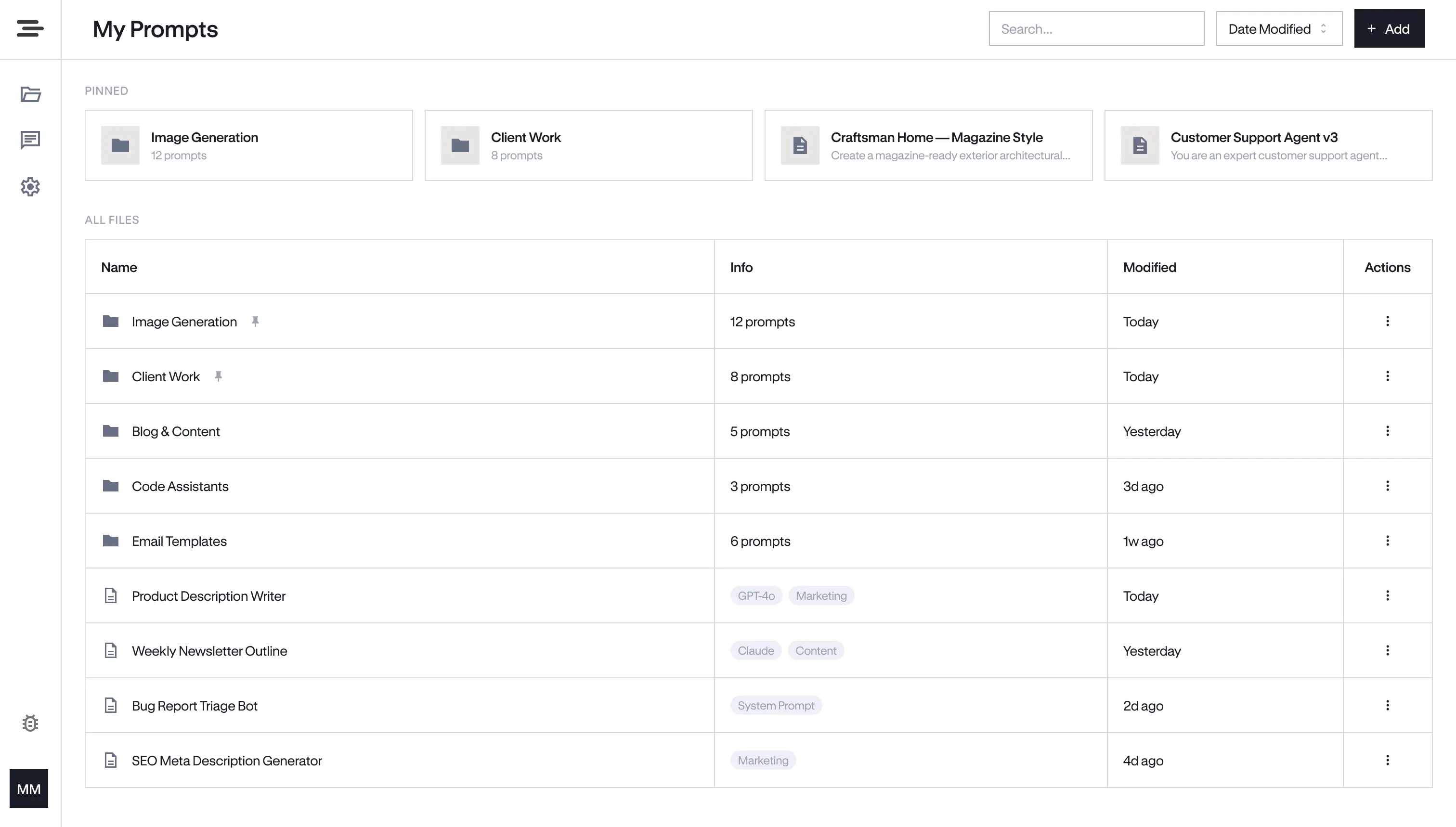
Google Drive, but for prompts
Hierarchical folders, drag-and-drop, tags by prompt type and target model. Find any prompt in seconds — whether you have 10 or 10,000.
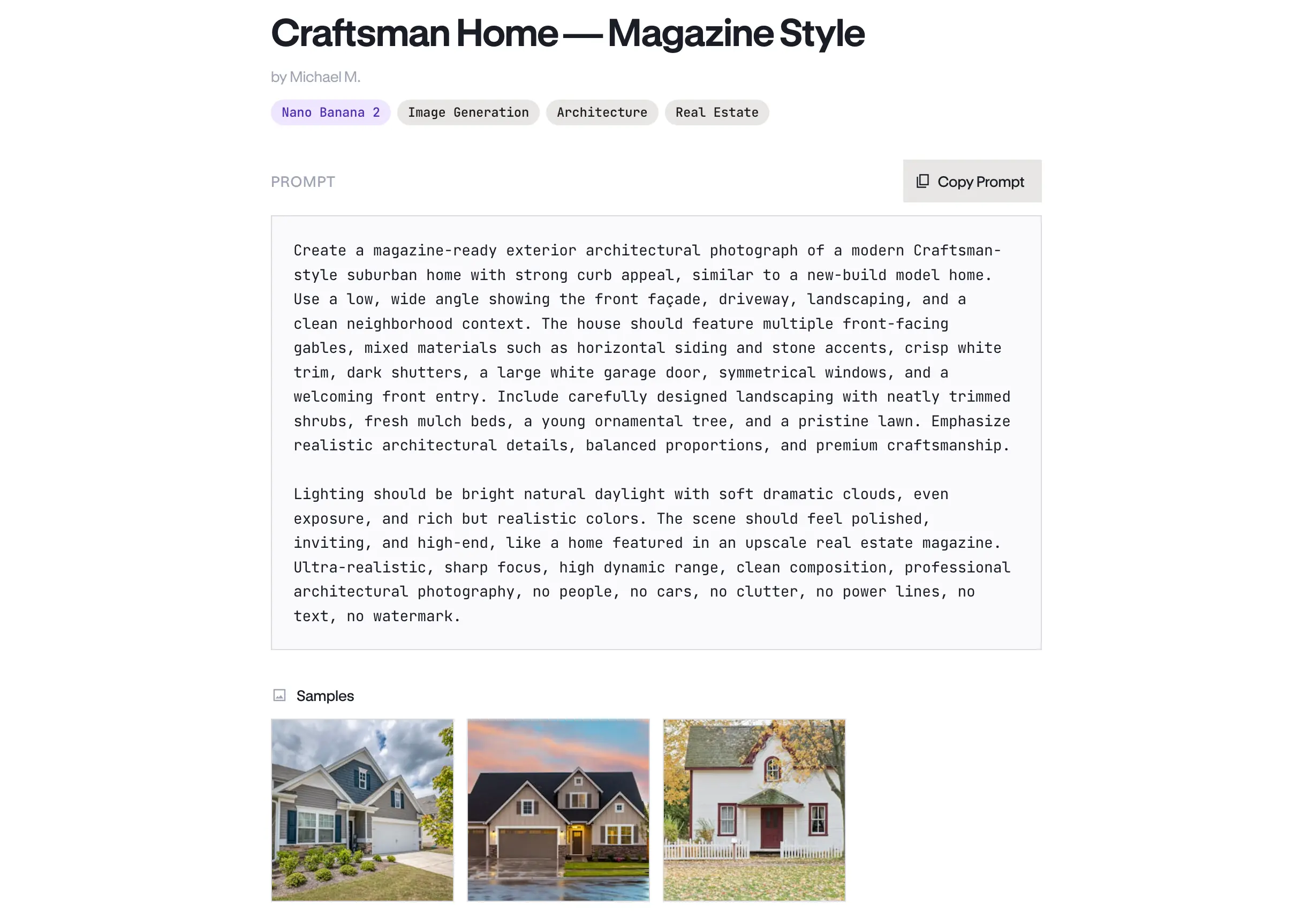
One link. Zero friction.
Generate a share link for any prompt. No login required for viewers. They see your starred version, tags, notes, and gallery. Professional enough to share publicly, private enough to revoke anytime.
Everything you need to master your prompts
Track every iteration. Star the best one as your default.
Filter by prompt type, target model, or your own custom categories.
Attach up to 10 sample output images. Show what your prompt creates.
Add tips, context, and configuration notes alongside every prompt.
Paste existing prompts directly. Formatting preserved. Organized instantly.
Brainstorm new prompts through conversation. Save the best parts with one click.
Built by prompt engineers who got tired of losing their best work.
PromptStash is the tool we wished existed — so we built it.
Your prompts stay private — never used for AI training
Enterprise-grade authentication and encryption
Unlimited prompts, folders, and versions — even on the free plan
Start free. Upgrade when you need AI superpowers.
Frequently Asked Questions
Everything you need to know about PromptStash.
Your AI usage resets daily. You'll see a clear message when you're close to your limit. Organizing, editing, and sharing always work — only AI chat pauses until the next day.
Yes. Upgrade, downgrade, or cancel whenever you want. No contracts. No penalties.
Completely. Prompts are private by default. Only prompts you explicitly share or mark as org-visible are seen by anyone. We never use your prompts for AI training.
Yes. Paste any prompt directly — formatting, markdown, and newlines are preserved. Title it, tag it, save it.
Free users can store up to 100 prompts. Pro and Team plans get unlimited prompts, folders, and versions.
Absolutely. The Free plan gives you full organization, versioning, tags, notes, and gallery. Many users start free and upgrade when they want AI assistance.